

Oops! Something went wrong with the browser.
Please try again. If the issue persists, contact support@logicimtech.com and include error code .
Deactivating a Logicim XLGL license
I don't have access to an old computer, and I want to deactivate the license
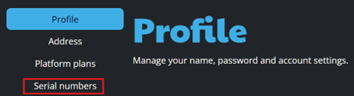
- Go to your profile
- Go to Serial Numbers
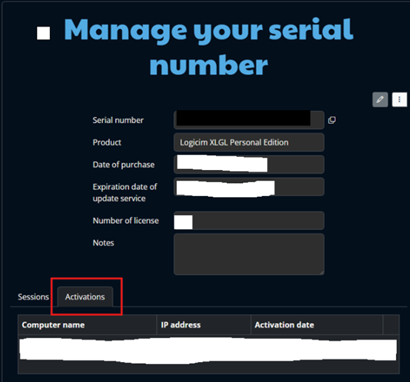
- Click the 3 dots then Manage

- Click Activations and then Deactivate
Related articles
No related articles found
Edited: Thursday, January 08, 2026
Was this article helpful?
Thank you! Your feedback matters.
We'd love to hear your thoughts! Please provide a comment before submitting.