

Oops! Something went wrong with the browser.
Please try again. If the issue persists, contact support@logicimtech.com and include error code .
After upgrading to Sage 50 US edition, I can no longer connect using Logicim XLGL.
Unsolicited password reset
Upgrading to Sage 50 US edition sometimes resets the password for the Peachtree user that Logicim XLGL requires to connect.
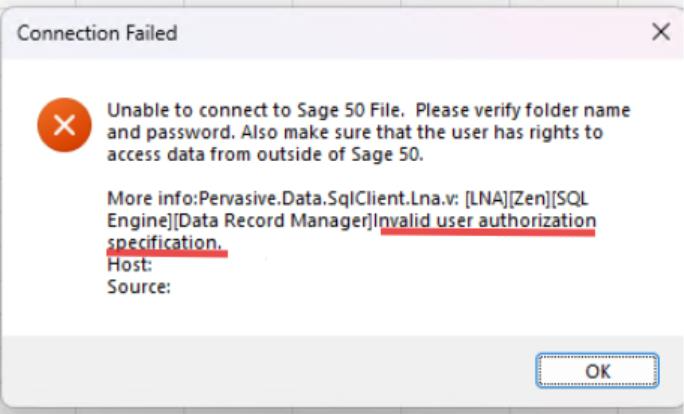
Verifying the password
If you are having trouble connecting, verify that the password is set correctly:
- Open Sage 50.
- Go to the Maintain menu, then Users, then Set up User Security.
- Click the Data access/crystal Report tab.
- Check With the following information in the Access from outside Sage 50 section.
- Set the password (7 characters maximum)
- Click Save and Close.
For Sage 50 2026 US edition upgrades
If you are having trouble connecting, updating to Logicim XLGL version 9.0.0 or later usually resolves the issue. See this article for help on updating Logicim XLGL: Logicim - Download the latest Logicim XLGL version
Related articles
Edited: Monday, August 10, 2026
Was this article helpful?
Thank you! Your feedback matters.
We'd love to hear your thoughts! Please provide a comment before submitting.