

Oops! Something went wrong with the browser.
Please try again. If the issue persists, contact support@logicimtech.com and include error code .
Logicim's Ready-to-Use Sage 50 US General Ledger
General Ledger
Introduction
General Ledger is a Financials Ready-to-Use Report for Sage 50 US. It provides both a general ledger summary and a detailed general ledger output for the date range entered on the Instructions worksheet.
Prerequisites
Microsoft Windows 10 Pro, Windows 11 Pro, or Windows terminal server (2012 and above)
Microsoft Office 365
Sage 50 US edition (2021 and above)
Internet connection
What the Report Does
The Instructions worksheet provides Start Date and End Date fields in C9 and C10. The workbook includes General Ledger Summary and General Ledger worksheets. General Ledger Summary shows beginning balance and ending balance values by account. General Ledger shows detailed transaction output with labels such as Transaction Date, Period, Job ID, Beginning Balance, and Ending Balance. The hidden Data worksheet contains account and transaction fields used to populate the summary and detailed views.
How to Use the Report
1. Enter the start date in C9 and the end date in C10 on the Instructions worksheet, then click Refresh on the XLGL ribbon.
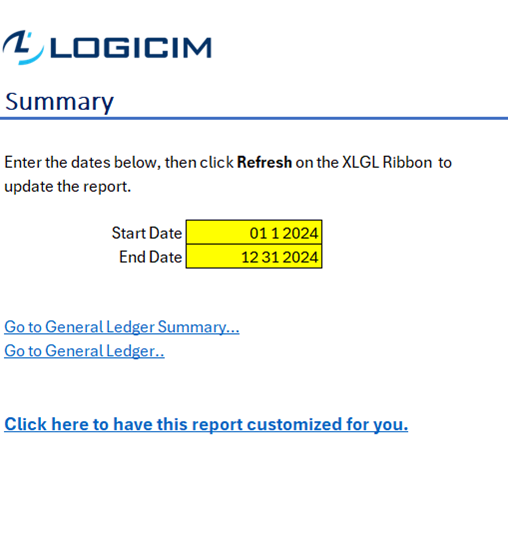
The Instructions worksheet contains the General Ledger date range inputs and navigation links.
2. Click Go to General Ledger Summary... to review account-level beginning and ending balances.
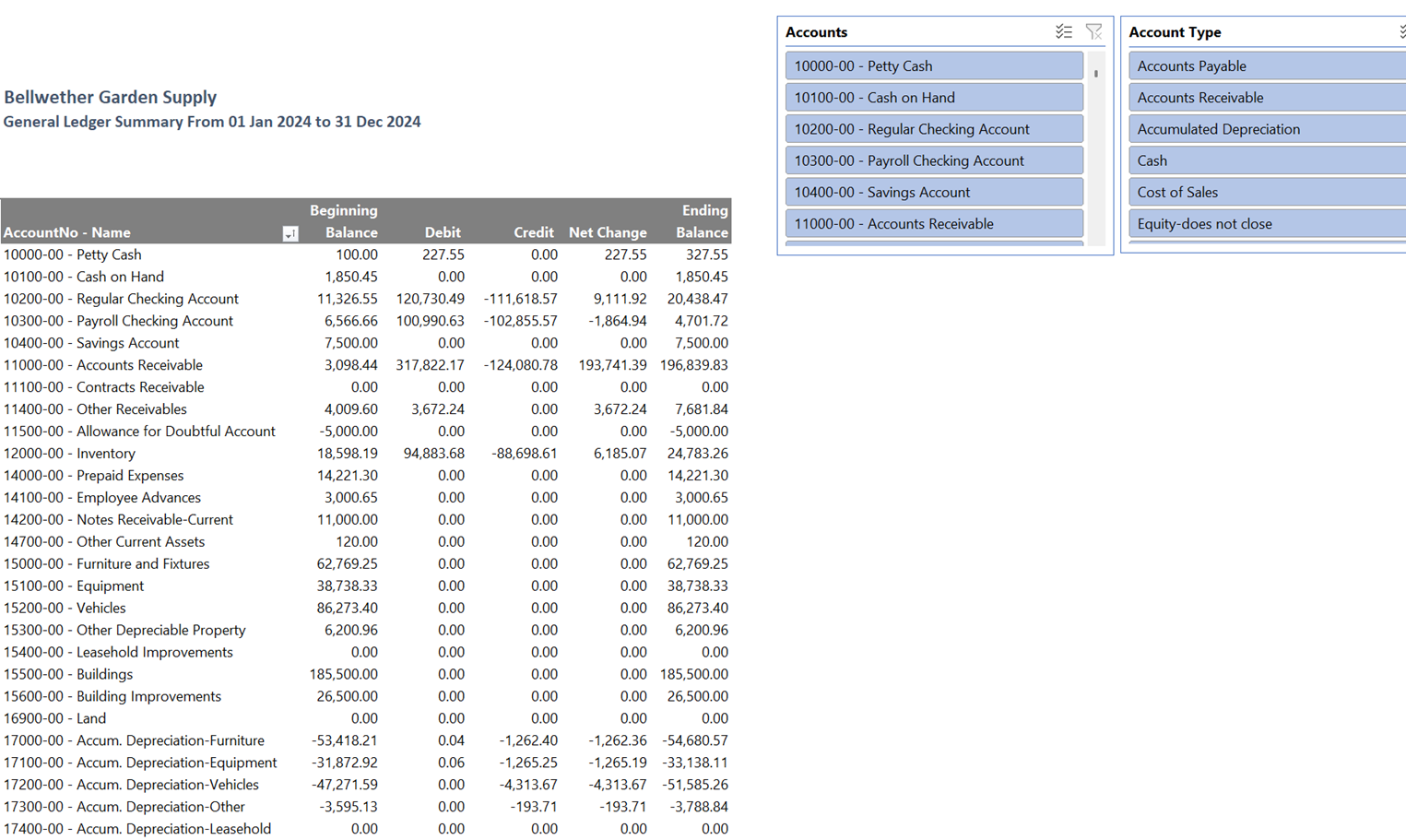
General Ledger Summary shows beginning and ending balances by account.
3. Click Go to General Ledger... to review detailed transaction activity for the selected period.
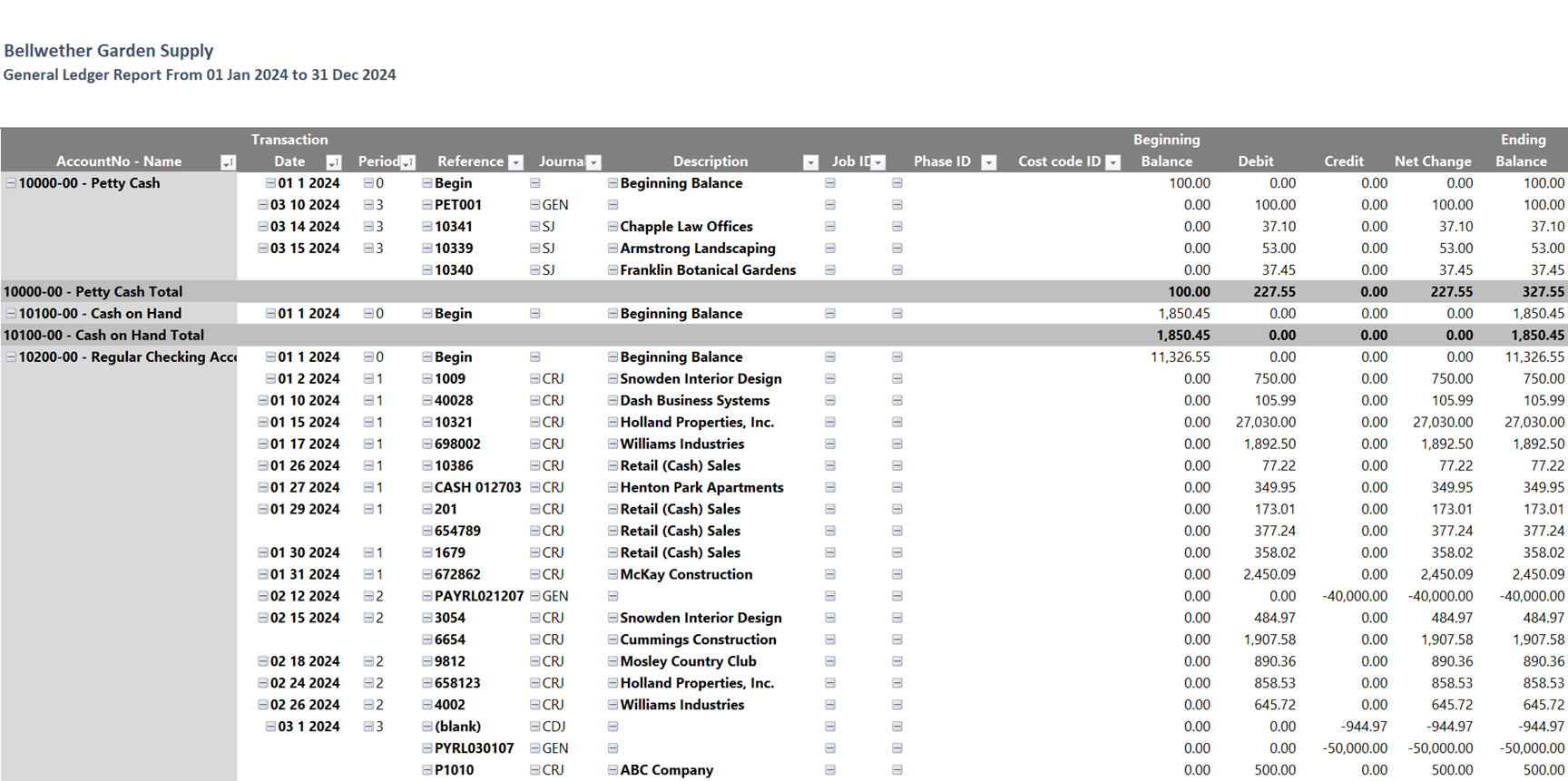
General Ledger shows detailed account activity with transaction dates, periods, job IDs, and balances.
4. Use the heading on each output worksheet to confirm the selected date range before reviewing balances.
Customization Options
Change C9 and C10 on Instructions to review a different period, then refresh the workbook. You can use standard Excel sorting, filtering, and formatting on a copy of the workbook. For different account grouping, additional columns, changed formulas, or a redesigned general ledger layout, use the customization link on Instructions or request a Custom Report from Logicim.
Common Use Cases
- Review account-level beginning and ending balances for a selected period.
- Review detailed general ledger activity by transaction date, period, job ID, and account.
- Compare summary balances with detailed account activity.
- Support month-end or year-end review by exporting or filtering the Excel output.
Troubleshooting
- If the period heading is not what you expected, check C9 and C10 on Instructions and refresh the workbook.
- If values appear stale or unexpected, confirm that Excel is connected to the correct Sage 50 US company through Logicim XLGL, then refresh again.
- If an account or transaction is missing, confirm that the selected date range includes the activity you expect to review.
- If summary balances do not support your review need, compare them with the detailed General Ledger worksheet or request a customized layout.
FAQs
- Q: Which dates control the Report? A: The Start Date in C9 and End Date in C10 on Instructions control the selected period.
- Q: What is the difference between the two output worksheets? A: General Ledger Summary shows account-level balances, while General Ledger shows detailed transaction activity.
- Q: Does the detailed output include job information? A: The visible General Ledger header includes Job ID.
- Q: Can this Report be customized? A: Yes. Use the customization link on Instructions or request a Custom Report from Logicim.
Best Practices
- Confirm the Sage 50 US company before refreshing the workbook.
- Review C9 and C10 before using the Report for financial review.
- Refresh the workbook after changing the date range.
- Compare General Ledger Summary balances with General Ledger detail when investigating account activity.
- Use a copy of the workbook before applying Excel sorting, filtering, or formatting changes.
Related Articles
- Logicim XLGL installation and activation: https://www.logicimtech.com/en/Support/KnowledgeBase/logicim-xlgl-installation-and-activation
- Logicim Reports: https://www.logicimtech.com/en/Products/Reports
Contact Information
Contact Logicim Support if you need help using General Ledger or want this Report customized for your financial reporting workflow.
References
Related articles
Edited: Monday, August 31, 2026
Was this article helpful?
Thank you! Your feedback matters.