

Oops! Something went wrong with the browser.
Please try again. If the issue persists, contact support@logicimtech.com and include error code .
Logicim's Ready-to-Use Sage 50 US Inventory Analysis (Intelligence Report)
Inventory Analysis (Intelligence Report)
Introduction
Inventory Analysis is the process of reviewing and evaluating inventory data to monitor stock levels, track inventory movements, and support effective inventory management decisions.
Prerequisites
Microsoft Windows 10 Pro, Windows 11 Pro, or Windows terminal server (2012 and above)
Microsoft Office 365
Sage 50 Canadian edition (2014 and above)
Internet connection
What the Report Does
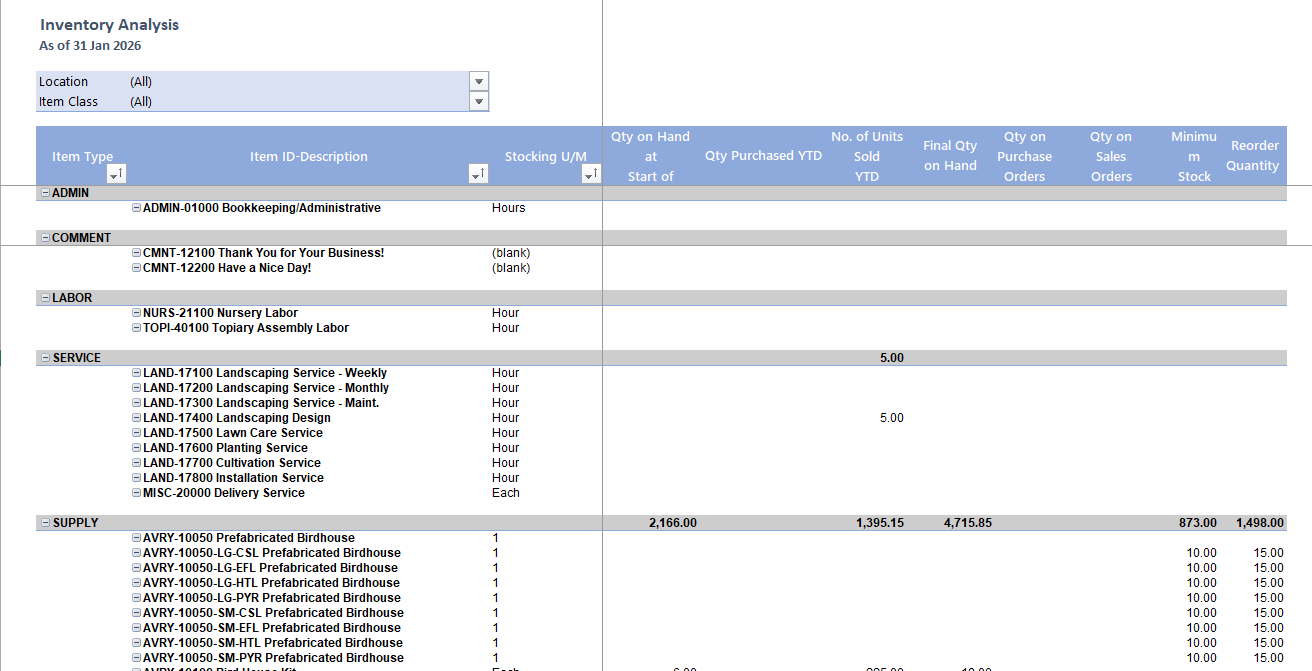
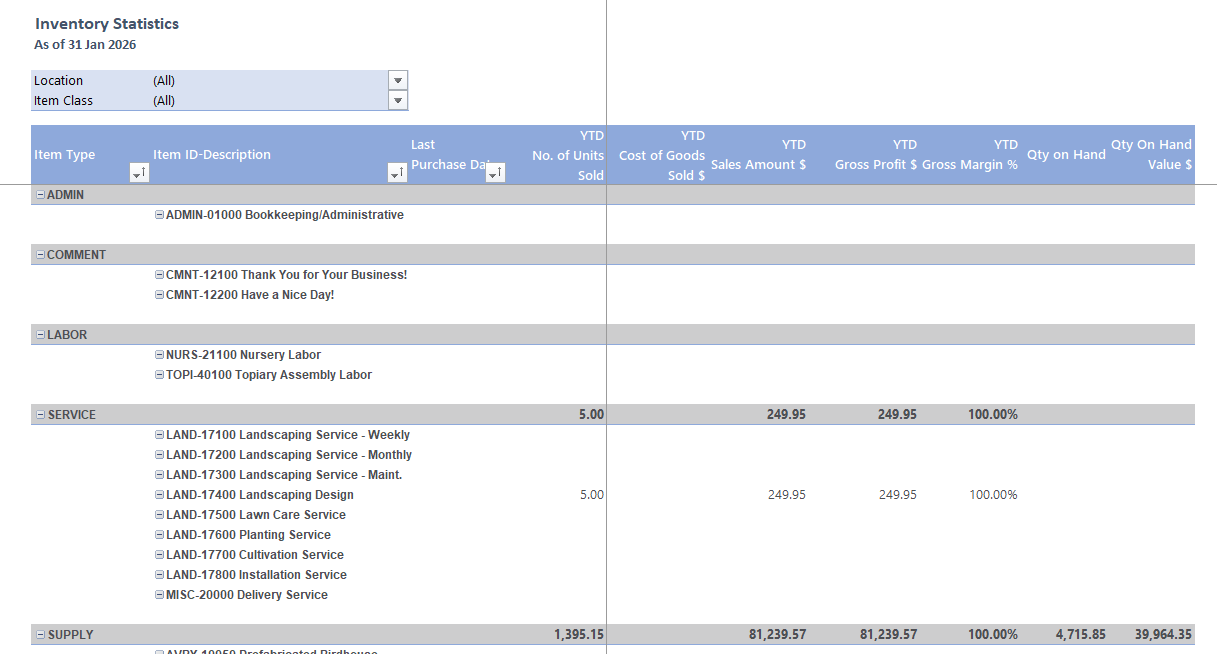
This report provides a detailed inventory analysis by displaying item information such as location, item class, item ID and description, item type, stocking unit of measure, average cost, and average selling price. It also shows key stock movement data including beginning quantity, purchases year-to-date, units sold year-to-date, final quantity on hand, quantities on purchase and sales orders, as well as minimum stock and reorder quantity. In addition, it includes inventory statistics to help users monitor stock levels, evaluate inventory performance, and support replenishment and decision-making processes.
How to Use the Report
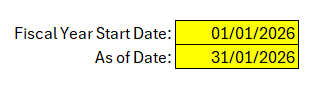
In the Params tab, there is a yellow-highlighted cell where your should enter the start and end date. It should be within this format: dd/mm/yyyyy
Click Refresh in XLGL Ribbon.
Review the result:
Inventory Analysis
Inventory Statistics
Customization Options
You may modify the Pivot Table to adjust the displayed columns. You can add, remove, or modify them.
Common Use Cases
Stock Monitoring – Used to track current inventory levels and item availability.
Replenishment Planning – Used to determine when and how much stock to reorder.
Performance Analysis – Used to evaluate sales trends, stock movement, and inventory costs.
Troubleshooting
Issue: No data is populated.
Solution: Verify that the input parameters are correct. You may validate in Sage 50 if the customer and reference number is expected to have no value.
FAQs
Q: Can I select specific Item Type only?
A: Yes, but simply clicking the auto filter, and then select the Item Type you only wish to display.
Best Practices
Save a backup copy of the Report before making significant changes.
Regularly review the report to track progress and identify trends early.
Customize the report to focus on key performance indicators relevant to your business.
Related Articles
References
Related articles
Edited: Thursday, September 24, 2026
Was this article helpful?
Thank you! Your feedback matters.