

Oops! Something went wrong with the browser.
Please try again. If the issue persists, contact support@logicimtech.com and include error code .
Logicim's Ready-to-Use Sage 50 US Sales Analysis
Sales Analysis
This Report presents you with an overview of your sales.
Prerequisite
What the Report does
The Sales analysis Report enables you to view the inventory sold per customer. It also provides you with a profit or loss analysis. Freight values are also included in this Report.
How to use the Report
Step 1: Enter the starting and end dates in C8 and C9.
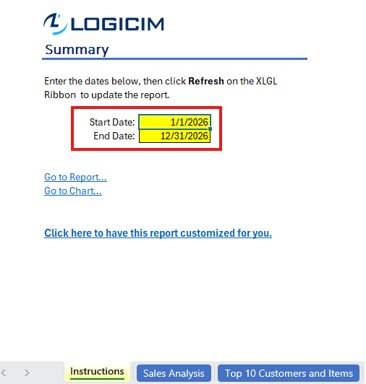
Step 2: Click Refresh on the XLGL ribbon to update the Report.

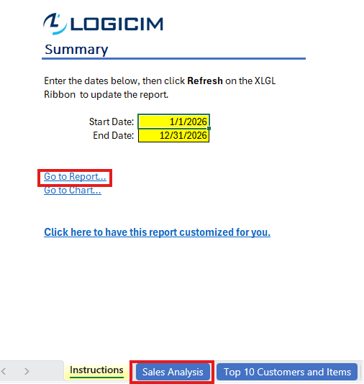
Step 3: Use Go to Report... or open the Sales Analysis worksheet to review the results.
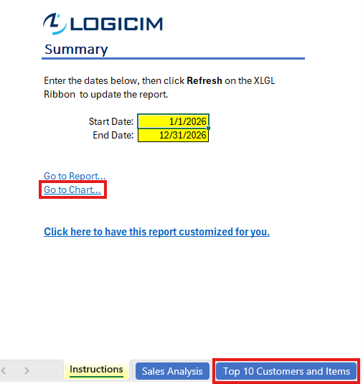
Step 4: Use Go to Chart... or open the Top 10 Customers and Items worksheet to review the chart.
Common use cases
The Report offers you an overview of your sales per the dates specified on the Instructions worksheet. An analysis is presented on the Report worksheet where you see the inventory sold per customer including cost and profit. This Report also includes the Stocking unit quantity and the Selling unit quantity which may differ at times per item in the inventory and others.
Troubleshooting
Issue: No values appear on the worksheet.
Solution 1: Ensure that your account has the necessary permissions to access the Accounts & General ledger.
Solution 2: Ensure that the End of period date does not exceed the Start of period date.
FAQs
Q: Can I customize the Report? Let’s say I only want to see specific items.
A: Yes! You can do that by using the filters on top of the pivot table starting from cell C6 to C10 on the Sales Analysis worksheet. Just click on the drop-down arrow. If you don’t see any values after filtering, click the Refresh button on the Logicim XLGL ribbon.
Best practices
Connect to the correct company before loading this Report. Ensure that the Refresh after opening checkbox is checked. This allows the Report accurate company-wise and saves you steps, such as clicking the Refresh button on the Logicim XLGL ribbon.
References
Related articles
Edited: Thursday, September 24, 2026
Was this article helpful?
Thank you! Your feedback matters.